Showing posts with label modeling. Show all posts

Friday, 7 August 2009

Tutorial: Scratch built mount for Hunter Killer Missile

I came up with this conversion because I needed more Hunter Killer Missiles to put on my tanks. Well, I had all the missiles I needed, but I didn't have any mounts for them, because I'd used them for the storm bolters.

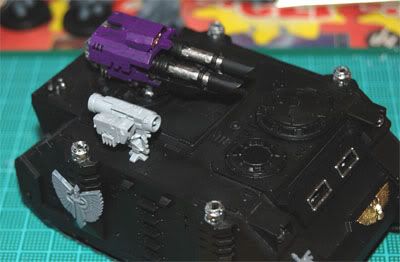
Custom HKM Mount
So I decided to make some on my own, and here's how you can make yours.

The Parts

These are the parts needed:
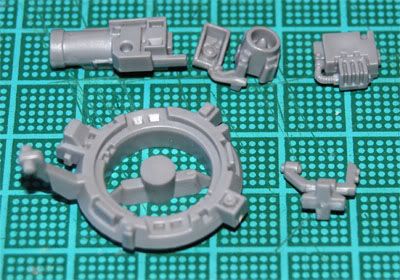
Custom HKM Mount, partsAs you can see, except for the actual missile, you only need a couple of bits. The conversion is dead easy to do.

Cut and Paste

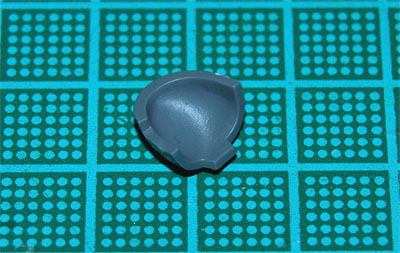
First you take the mount for the "scanner", or small "radar" thingamajig, and cut off the diagonal bit. Make sure you cut it straight, so you'll get one clean edge. Clean it with a knife if needed.
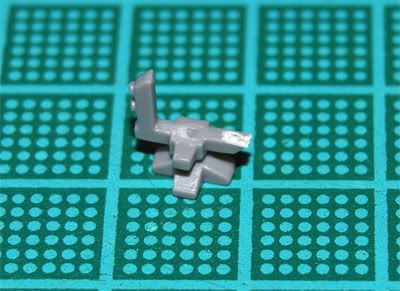
Custom HKM Mount, parts

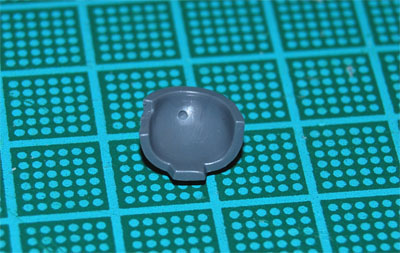
Next, you separate the mount bit from the hatch bit.
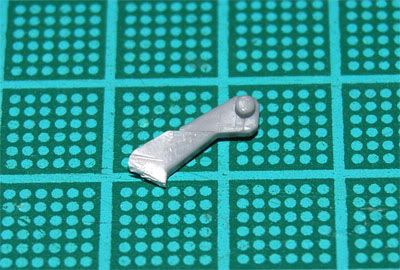
Custom HKM Mount, parts

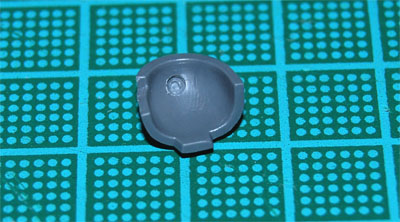
Now, clean up the mount bit with a knife. I made a straight edge, and then I trimmed this as I fitted it to the scanner mount. It'll make a lot more sense later on, so keep reading. Or look at the first photo again, and I think you'll see what I mean.
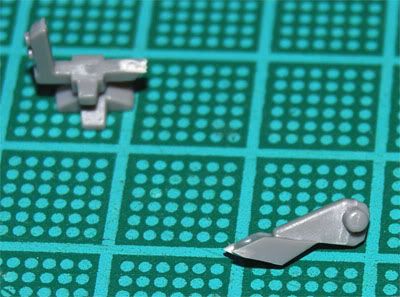
Custom HKM Mount, parts

Take the mount bit and do a dry fit on the missile, don't glue it in place.
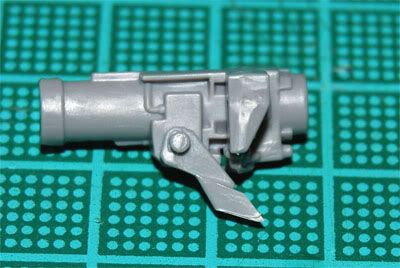
Custom HKM Mount, assembly

Now you need to trim away some plastic to make the mount sit at the correct angle.
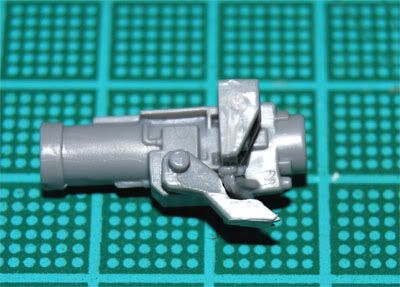
Custom HKM Mount, assembly

Keep trimming away plastic until it looks right. Then you glue the missile bits in place around the mount bit.
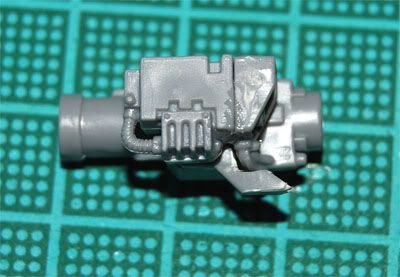
Custom HKM Mount, assembly

Now you just need to glue the mounted missile onto the scanner mount, and you're almost done.
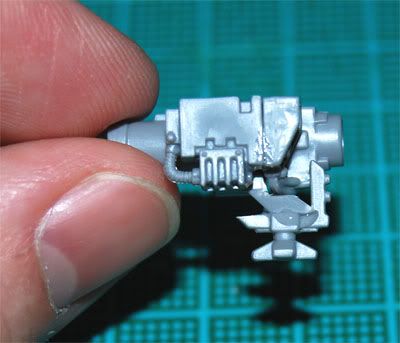
Custom HKM Mount, assembly

Leave it on its back for a while, to let the glue set.

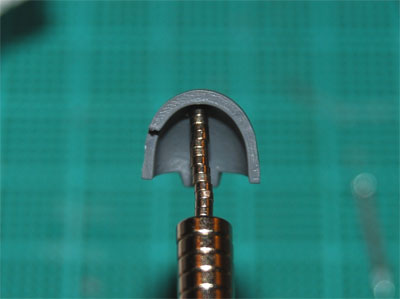
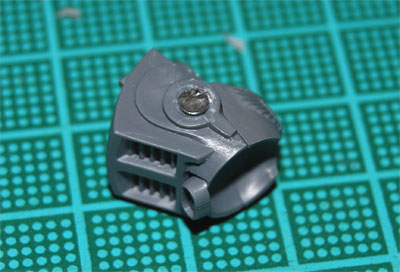
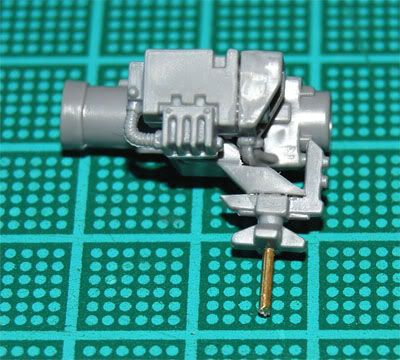
I want my Hunter Killer Missiles to be removable, for two reasons. One is that it's handy to be able to remove them as you fire them. The other is transportation. If I remove them before packing the tanks in the army transport, I don't risk breaking them off. So, I drill into the mount and glue a pin in place. The pin is just a piece of a metal paper clip.

Custom HKM Mount, assembly

Next, I drill a hole in a suitable place on the tank...
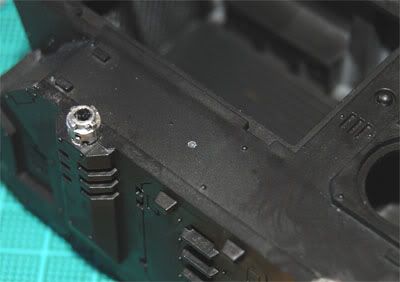
Custom HKM Mount, done

And there you go!

Custom HKM Mount, done

I'm sure there are a million other ways to do this, and if you've got links to tutorials, please share them! For now, though, this is what I'm doing. I think it looks pretty good.

I hope you liked this small tutorial. Please take a minute to leave a comment, it's highly appreciated!

Best regards,

Stitch

Friday, 1 May 2009

Special Weapon Swaps made Easy with Magnets

If you read my blog last month, you'll already know that I like magnets. If you haven't read about magnetizing Terminator arms, you can find the posts here:
Here's a tutorial on how you can magnetize your special weapons on ordinary Space Marines to make it easy to swap them out between battles!

Stuff you need

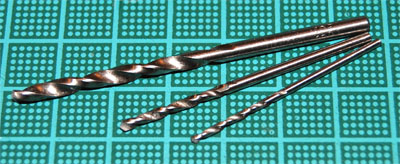
You need a couple of small drills, I use a 1.5mm and a 2mm. And of course, you need some magnets.

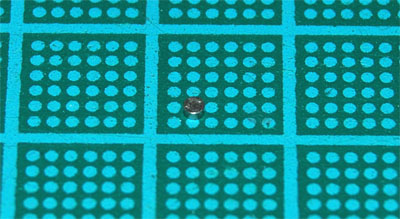
MagnetThis one is from K&J Magnetics and is 1/16" x 1/32".

Let's go!

First, drill a small guide "pit", using a small drill. The reason I do this is because it is easier to hit the spot you want. I find that I often miss the spot when I go for the bigger drill right away, without the guide.

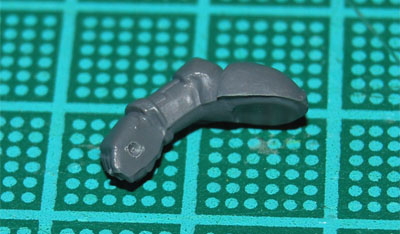
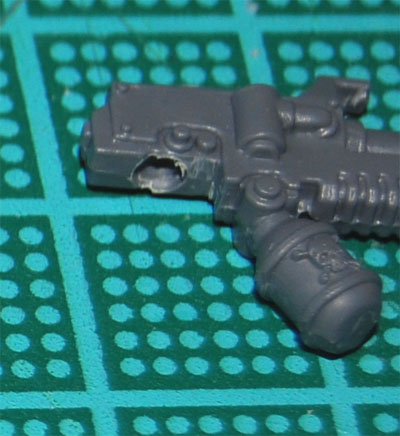
Magnetizing Special WeaponsNow you expand the pit and make it deeper, using a 2mm drill. Try to fit a magnet in the hole now and then, and just keep expanding the hole until the magnet fits. You want it sunk deep enough to be level with the edge of the hand, you don't want it sticking up. When the hole is big enough, you glue a magnet in place.
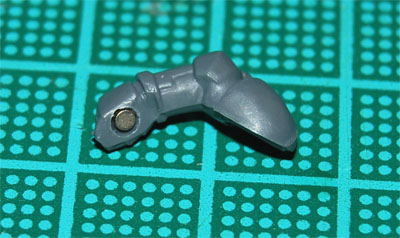
Magnetizing Special WeaponsNOTE! You need to watch the polarities of the magnets so they actually attract each other. For the very first magnet you glue in place, this doesn't mean a thing. But after the first, this gets VERY important.
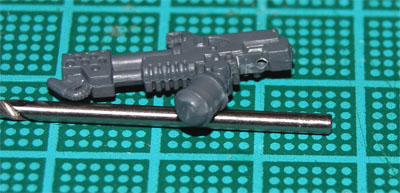
Now we do the same thing with the chosen weapon. Drill a guide...

Magnetizing Special WeaponsAnd expand the hole...

Magnetizing Special WeaponsNow, here's a tip on how to keep the polarities correct. Use a stack of magnets as a sort of handle.
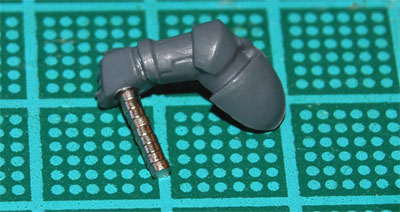
Magnetizing Special WeaponsWhen you glue the magnet in place in the weapon, you'll know that the polarities are correct.
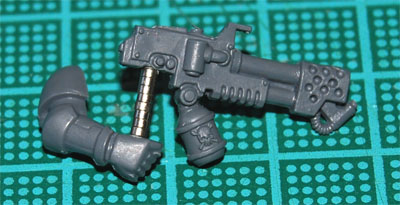
Magnetizing Special WeaponsAfter the glue is dry, you just remove the excess magnets and you're done! The left hand doesn't need a magnet, the weapon will stay in place anyway.
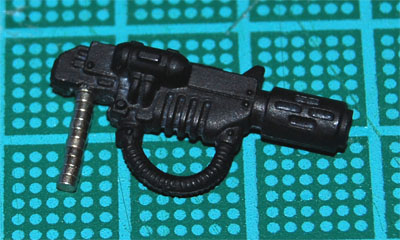
So, you just glue the arms in place on the model as you normally would. But now, with a few more weapons and magnets, you have the option of switching special weapons between games.

Again, remember what I said about polarities, or you may end up with weapons that attach to some figures and not to others. Whenever I glue a magnet into a new arm, I use a weapon as a handle. That way, I know all my weapons will fit all my figures!

Magnetizing Special WeaponsHere are a couple of Veterans from a Command Squad I'm currently working on:
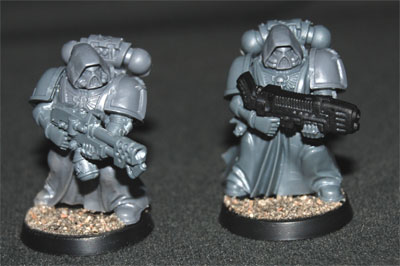
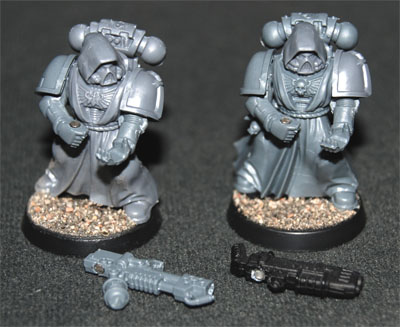
Magnetizing Special Weapons
Magnetizing Special WeaponsAs you can see, switching special weapons is a piece of cake!
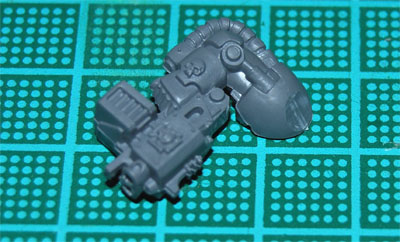
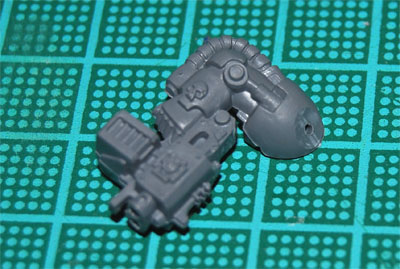
I hope you found this tutorial helpful. Even if you didn't, comments are always welcome, so keep 'em coming! :)

/Stitch

Sunday, 5 April 2009

Terminator Weapon Swaps made Easy with Magnets, Part 3

Finally, here's the last part of my first tutorial with magnets.

If you haven't read Parts 1 & 2, you can find them here:

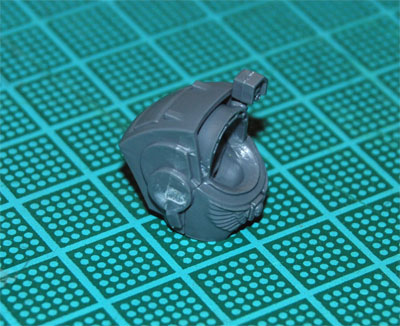
The Shoulder Pad

This is how I attach the should pads with magnets.

First you slice off a bit of the shoulder.

Right arm

You then drill a hole as a guide, as I explained in Part 2.

Right arm

Expand the hole a bit, so that a nail will fit, pretty much like we did in Part 2, except with a slightly smaller nail.

Right arm

The nail I use for this step has a head that's about 2.5mm.

Right arm

"Sink" the nail a bit, by carving away some material around the hole, like in Part 2, but it doesn't have to be as deep. It's ok if it sticks up a little bit. When you're happy, glue the nail in place.

Right arm

Here comes the tricky part, because the shoulder pad is so thin.

Shoulder pad

Carefully drill another guide, about 3mm from the edge. Make sure you don't drill through the pad! You almost only want to make a small pit, not really a hole.

Shoulder pad

Expand the hole, again very carefully, with a 1.5mm drill. You just need enough to sink the magnet a bit.

Shoulder pad

When you're done, just glue a magnet in place. If you're careful not to glue any magnets together, it's handy to use the magnets themselves as a sort of handle to maneuver the magnet in place. After the glue sets, you can easily leave it to dry by sticking them somewhere. In this case, I just attached the stack of magnets to a can of Quick Shade.

Shoulder pad

When the glue has dried, you're done! Now all you need to do is prep some more arms and torsos and you'll have all the flexibility you want!

Magnetic terminators

Magnetic terminators

Magnetic terminators

By being able to remove the shoulder pads seperately, you also get the added bonus of only having to paint each one once. Handy, if you freehand them like I do. :)

Thanks for reading. Keep those comments coming!

See you on 1 may, with an update on my army for Da DeffCup!

Best regards,

Stitch

Terminator Weapon Swaps made Easy with Magnets, Part 2

Finally, it's time to magnetize some termies!

If you haven't read Part 1, you can find it here:

The Arm

To let me swap the arms around, as described in Part 1, I'll put magnets in the shoulders of the arms, and put the head of a nail in the shoulder of the torso, for the magnets to stick to. Now, it's possible to save some magnets by doing it the other way around. But because the torso is hollow, I find it easier to get a nail in place instead of a magnet. You'll see why, later on.

Let's go. Here's the arm to be magnetized:

Right arm

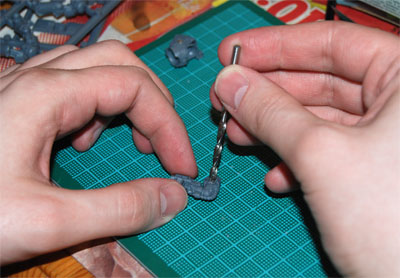
Using the model drill, I drill a hole to act as a guide. It doesn't matter that it's way too small, in fact I want it that way. That makes it easier to get it exactly where you want it, dead center.

Right arm

Now, using the 3.2mm drill, I expand the hole. The magnet I'm using is 1/8", which is just a little bigger than 3mm, so a 3.2mm drill fits nicely. The plastic is soft enough to use your hands to turn the drill. Just try to make sure you stay in the center, and the drill doesn't "travel".

Right arm

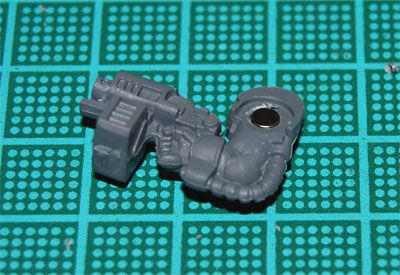
When you have expanded the hole a bit, try fitting the magnet in there. You want it flush against the torso of the terminator, so you don't want to drill too deep. Just keep drilling and trying until the magnet fits. When it does, glue it in place with super glue, or PVA glue. If you're operating on painted miniatures, you may want to use PVA glue, as it won't damage the paint job.

Right arm

The Torso

While the glue is drying, you can get to work on the torso.

Torso

First, drill a small hole once again.

Torso

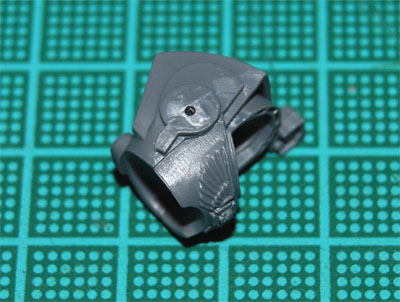
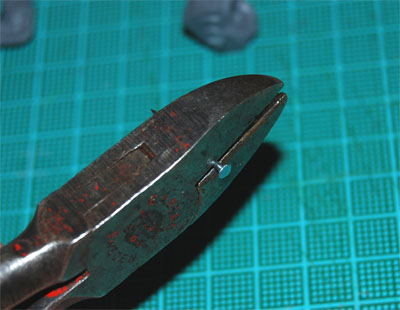
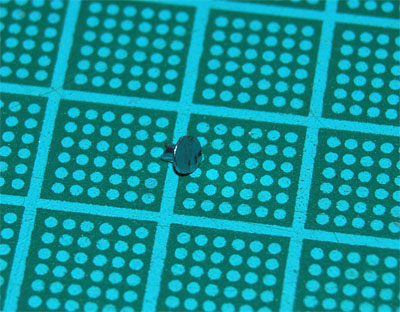
Now, using a proper cutter, cut the head off a nail. The nails I'm using have heads that are about 3mm, perfect for the job. Now, I know this is supposed to be obvious, but make sure to check that the nails are actually magnetic! :) I don't know if nails are ever made of non-magnetic metals, but it doesn't hurt to check.

Cutting a nail

As you cut, cup your other hand around the nail to catch the bits. Otherwise, they might go flying off in random directions, and you don't want that. :)

Head of a nail

Now expand the hole a bit. I use a 1.5mm drill, about the same thickness as the nail. Then make sure the nail fits in the hole.

Torso

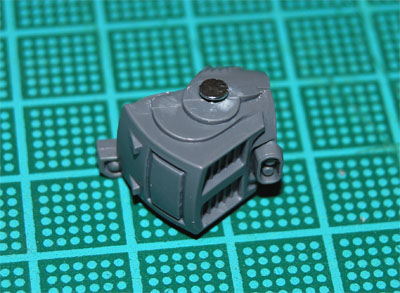
After you've made sure it fits, put the nail to one side. Now, using the bigger 3.2mm drill and/or a knife, cut away material around the hole to make the edges slope inwards, so the nail will go in without sticking out. (Here's where I think it's easier to "sink" a nail instead of drilling a larger hole for a magnet in the torso. Since the magnet is thicker than the head of the nail you can run into trouble when you drill deeper and wider into the torso, since it's hollow.)

When it fits, glue the nail in place.

Torso

When the glue is dry, you can attach the arm, and take it off, and attach it, and take it off again... You get the idea. :)

For a normal space marine minature, you probably have enough shoulder pads to glue one in place on each arm, so this would be the end of the tutorial. For terminators though, the shoulder pads are rarer, so you may need a way to switch these around as well. Since I'm a nut, I use magnets for this as well. :) And that's the subject of Part 3 that will be posted tonight.

/Stitch

Thursday, 2 April 2009

Terminator Weapon Swaps made Easy with Magnets, Part 1

Hi all!

Sorry for skipping a month. I didn't plan it like that, but stuff and things, and stuff, got in the way. :)

For april, though, I'm back with an in-depth article about how to let you swap weapons on your Space Marine Terminators. The new plastics are awesome, and you get a lot of options in the box. Why not make sure you can use all of them? (Or most of them, anyway...)

For this project (I'll tell you more about it later), I won't need to be able to swap both arms on every Terminator. So, I'll glue some of the arms, but magnetize some. For instance, I'll have two Terminators with Storm Bolters and the option to swap between Power Fists and Chain Fists. And of course I'll have one Terminator with Power Fist, but with the option of swapping between Storm Bolter, Heavy Flamer and Assault Cannon.

Let's get to it!

The Tools

You'll need some tools to make it all happen:

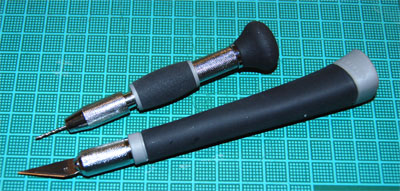
ToolsHobby drill and knife.

ToolsDrill bits; these are 1.5mm, 2mm and 3.2mm.
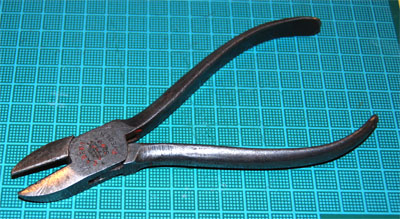
ToolsYou need a proper wire cutter. A small cutter like you use to cut bits from sprues just won't "cut it"... :)
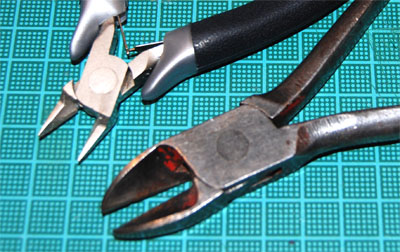
ToolsNotice the difference? Later on in the tutorial, we'll be cutting nails. (Not finger or toe nails!) The smaller cutter would be ruined, and you risk hurting yourself when bits of it breaks off and flies towards your face at high velocity.
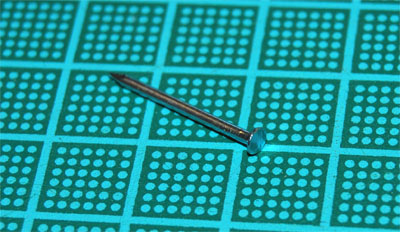
The Supplies

You'll also need some nails and magnets:

NailFlat headed nails in a couple of different sizes.
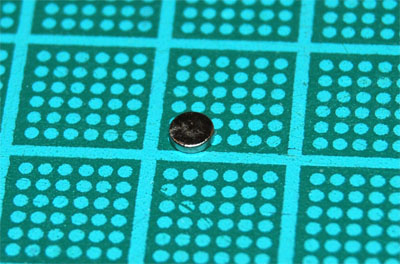
MagnetThis is a Neodymium disc magnet from K&J Magnetics. It's tiny but strong! This one is 1/8" x 1/32", and will be used for the arms.

MagnetThis one is even smaller! Also from K&J Magnetics. This one is 1/16" x 1/32", and will be used to hold the shoulder pads in place.


Right, unfortunately it's now past my bed time, and I will have to continue another day. Part 2 of this tutorial, where we actually magnetize the Terminators, will be online in a couple of days. No really, I promise!

I know it sucks that I couldn't finish it in time, but I thought it better to give you half a tutorial now, and show you that I still mean business, than waiting even longer before publishing anything at all.

See you soon!

/Stitch

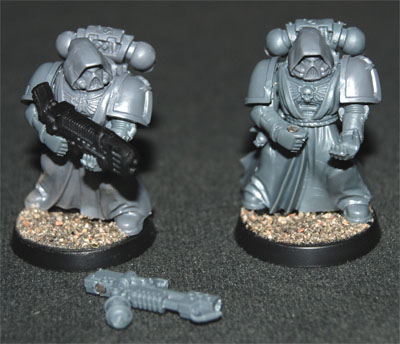
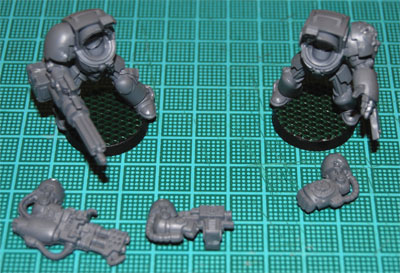
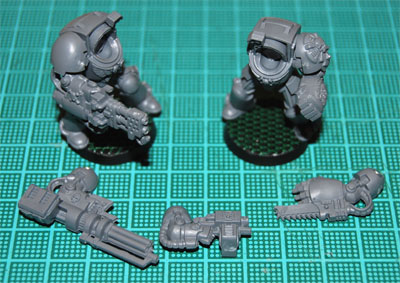
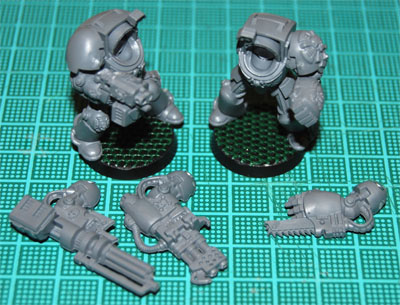
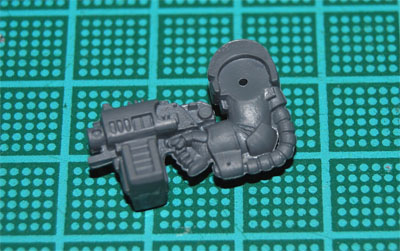
Here's a taste of what's to come:

Magnetic TermiesSwappable arms!